Inventory intelligence for marketplace sellers

Know what to order and how much this week.

It creates weekly demand forecasts from your sales history and combines on-hand stock, incoming stock, lead time, safety stock, minimum order quantity, and case multiples to produce actionable order recommendations.

Receive a tailored quote based on your product count, sales channels, and requirements.
Order List
What should I order?

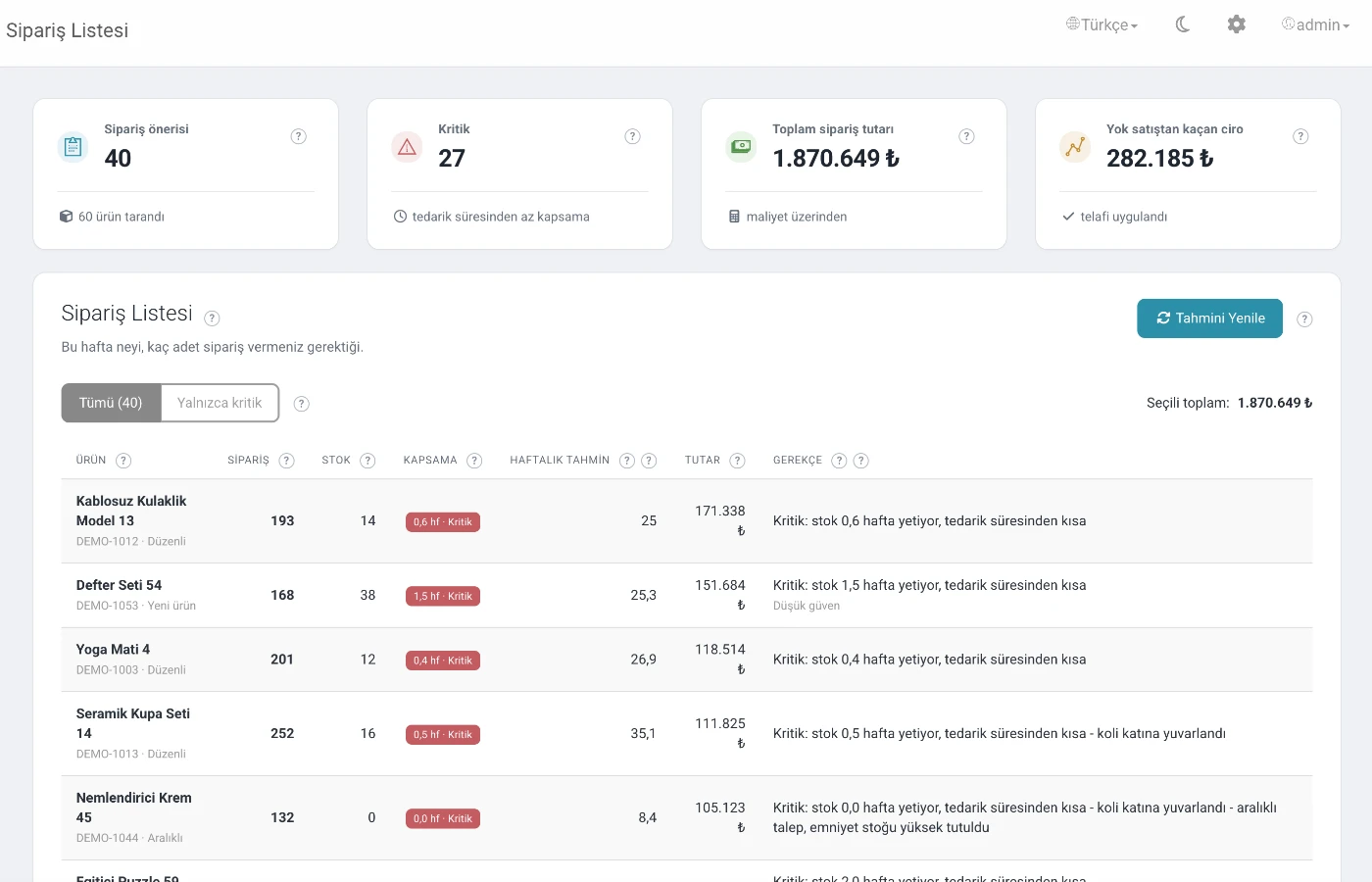
See the recommended quantity, weekly forecast, stock coverage, and estimated purchasing cost for every product in one list.

What will run out first?

Prioritize products that may run out before replenishment arrives and review their estimated lost-sales impact.

Why was this recommended?

Review the reason and confidence behind every recommendation and make an explainable purchasing decision, not just follow a number.

One focus, complete workflow

Everything you need for weekly ordering decisions

Bring in your products without a complex ERP project, complete purchasing inputs, refresh the forecast, and create your order list.

Dashboard

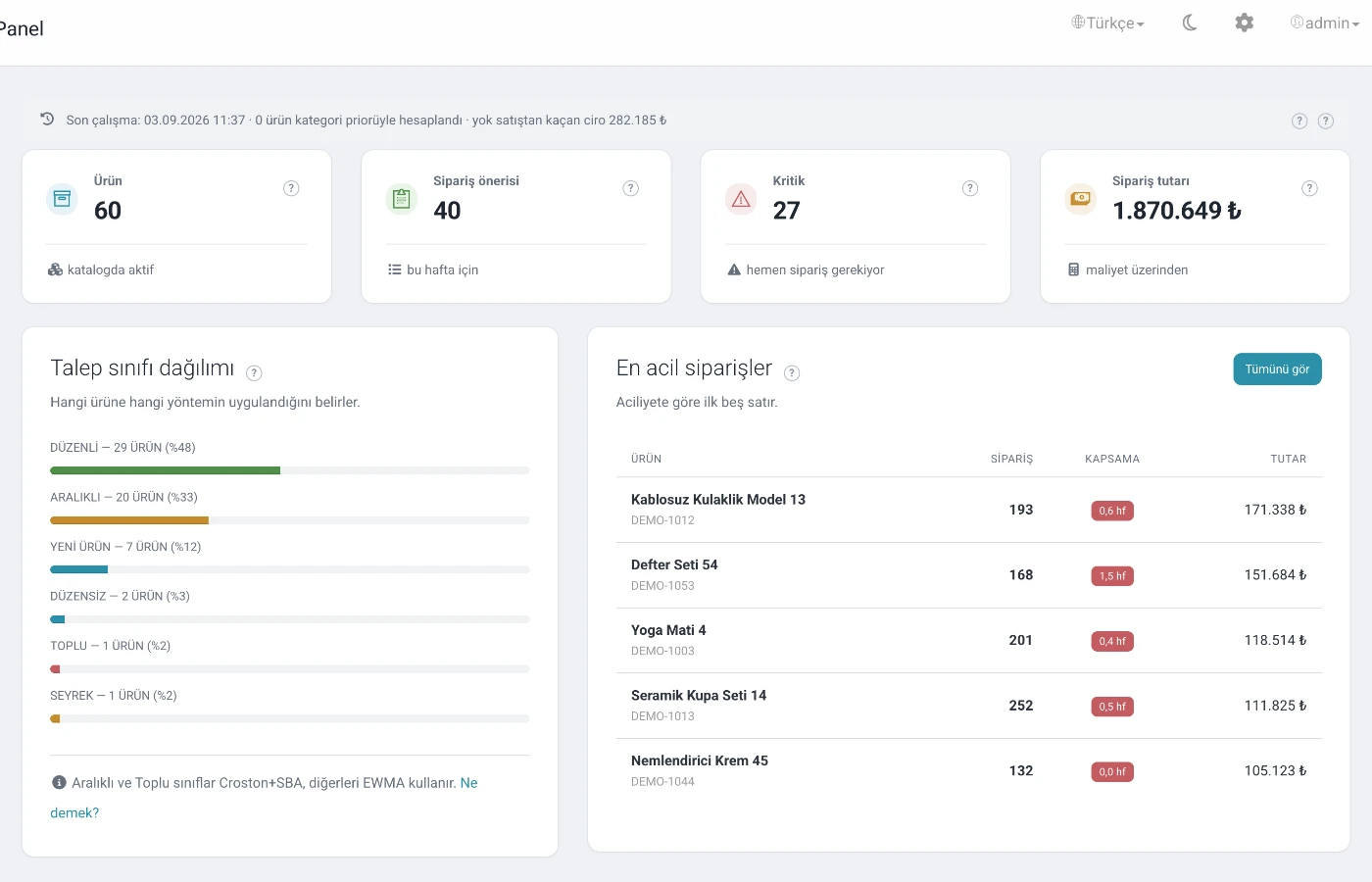
Active products, weekly suggestions, critical products, total order value, demand classes, and urgent orders.

Order List

Recommended quantity, inventory, coverage, weekly forecast, cost, urgency, confidence, and a clear recommendation rationale.

Stockout Risk

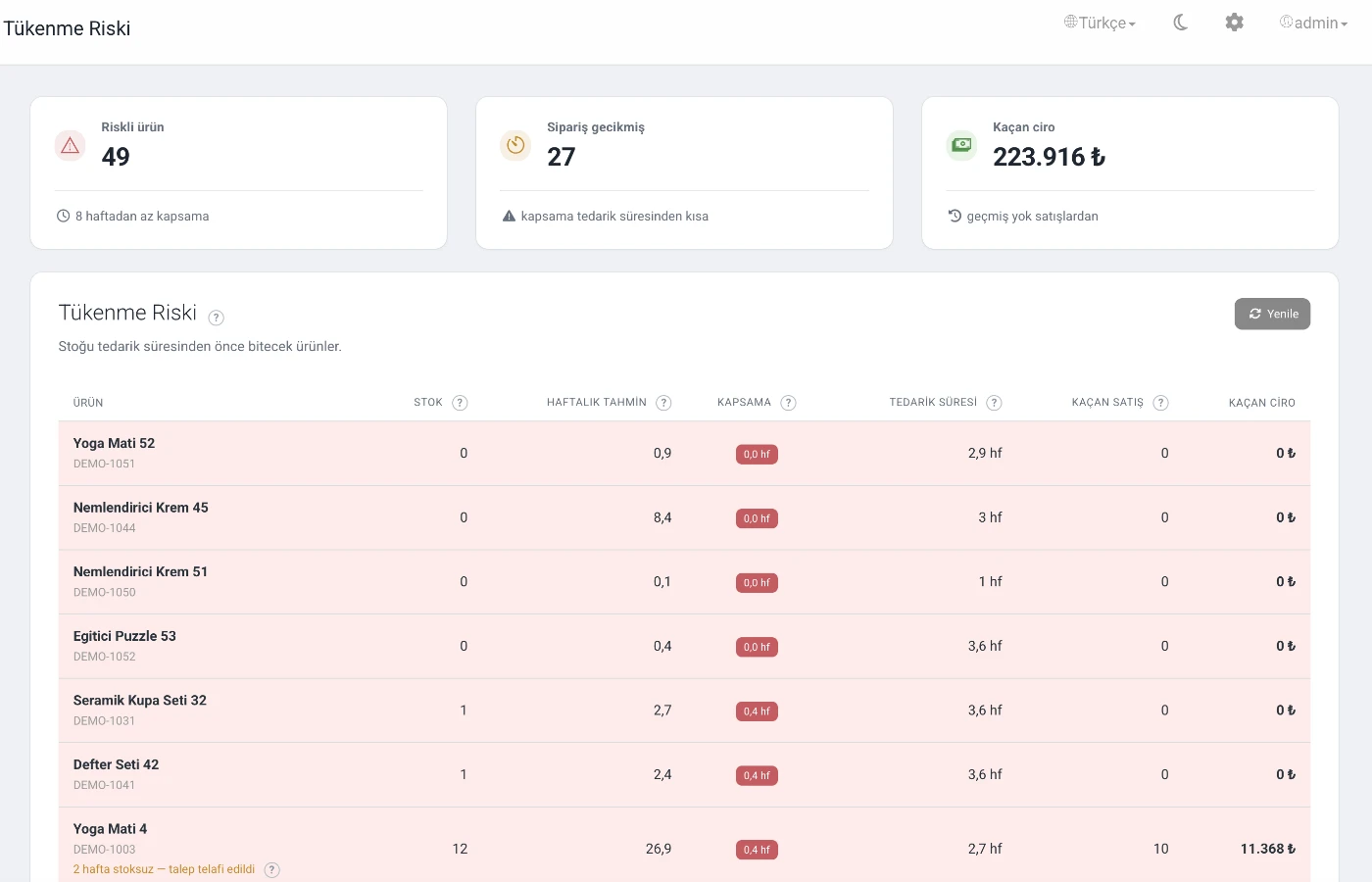
Products likely to run out before the lead time ends, expected risk timing, and estimated lost sales or revenue.

Products

Edit lead time, MOQ, case multiple, and unit cost; include or exclude products from forecasting.

Accuracy

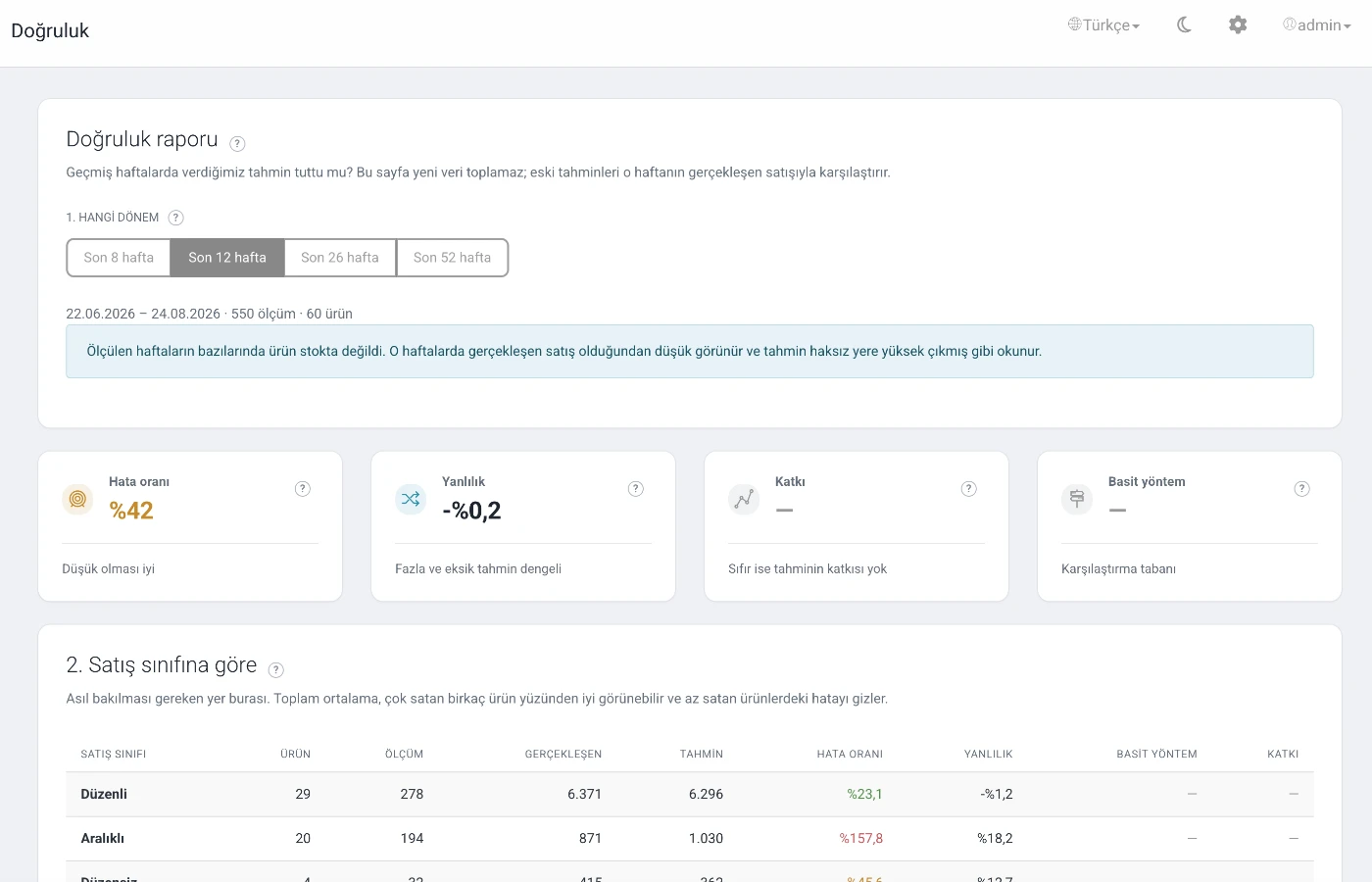
Track WAPE, bias, naive comparison, and model skill overall, by demand class, and by week.

Marketplaces

Set up and verify connections, run manual or scheduled synchronization, and review synchronization logs.

Import Data

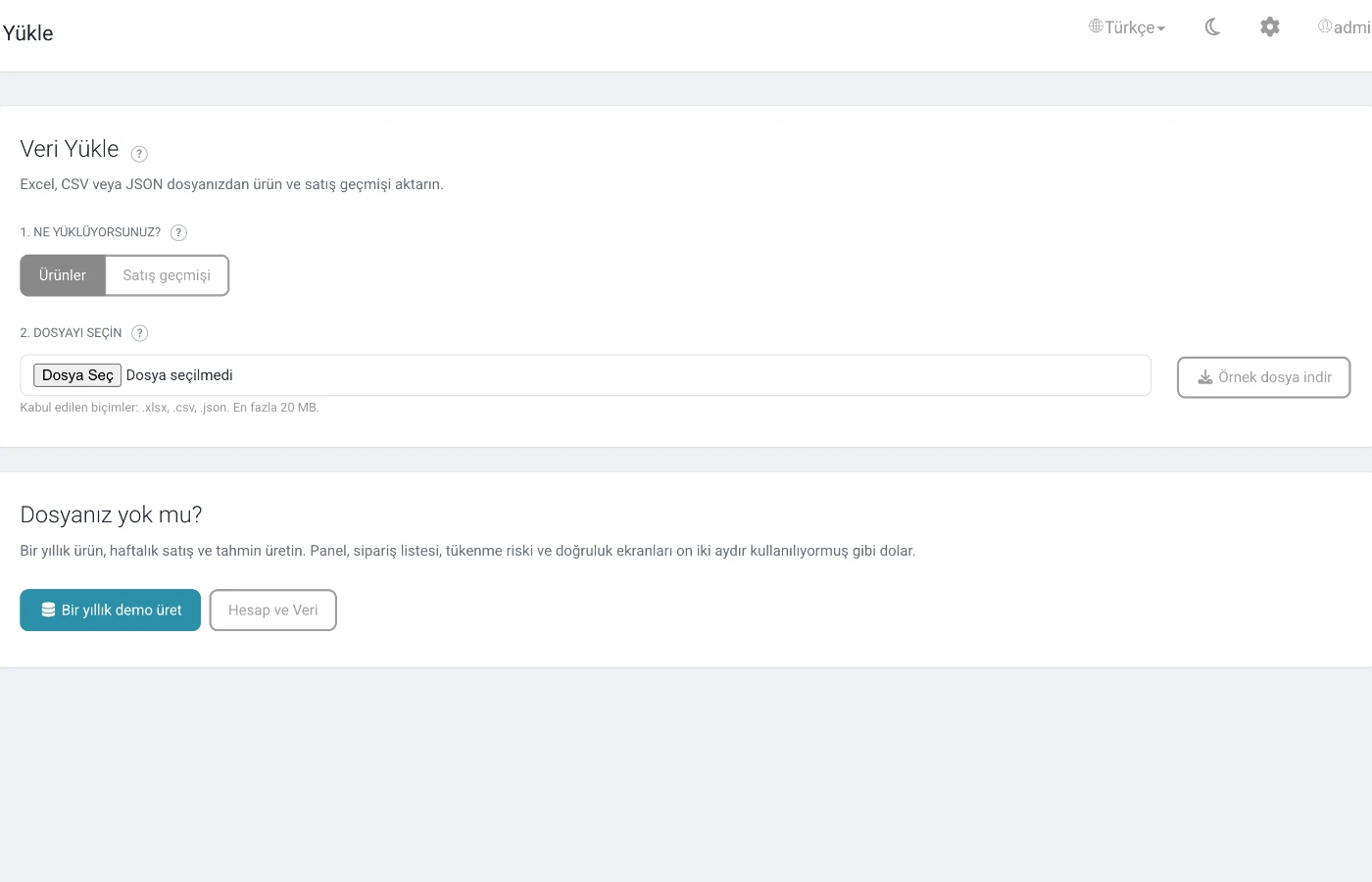
Upload CSV, XLSX, or JSON files with automatic column suggestions, preview, dry run, and confirmed import.

Account, Data, and Help

Plan and product usage, demo catalog, data clearing, account settings, and contextual help.

Dashboard
Dashboard

What should I order?

Active products, weekly suggestions, critical products, total order value, demand classes, and urgent orders.

Recommended quantity, inventory, coverage, weekly forecast, cost, urgency, confidence, and a clear recommendation rationale.

Stockout Risk

What will run out first?

Products likely to run out before the lead time ends, expected risk timing, and estimated lost sales or revenue.

Prioritize products that may run out before replenishment arrives and review their estimated lost-sales impact.

Stockout Risk
Get started in four steps

From your data file to a weekly order list

FelixStock Lite provides a streamlined workflow focused on marketplace connections and file imports.

01
Connect a marketplace or upload a file

Import sales and product data through a connection or with a CSV, XLSX, or JSON file.

02
Review your data

Review automatic column mappings and complete lead time, MOQ, case multiple, cost, and inventory information.

03
Refresh the forecast

The system classifies each product by demand behavior and runs an appropriate weekly forecasting method.

04
Use your order list

Review urgency, recommended quantity, cost, confidence, and rationale before making your purchasing decision.

Not the same method for every product

A forecasting engine that adapts to demand behavior

Products are classified as Regular, Erratic, Intermittent, Lumpy, Sparse, No sales, or New product. EWMA is used for regular and changing demand, while Croston + SBA is used for intermittent and lumpy demand. New products blend their own history with the category median; seasonality and periods affected by stockouts can also be considered.

Regular Erratic Intermittent Lumpy Sparse New product
Import Data
Accuracy
Explainable and measurable

Understand the recommendation and measure accuracy against actual sales

The Order List shows the rationale and confidence for every recommendation. Once enough actual weeks are available, WAPE, bias, and model skill are compared with a naive forecast so you can review performance by demand behavior and week.

WAPEError rate
BiasDirection of bias
SkillNaive comparison
Simple, scope-based plans

Choose the plan that fits your product range

Plan scope is quoted according to your product count, marketplace connections, and required forecasting capabilities.

Lite

Get a Quote

Weekly ordering decisions for up to 100 products

  • Order recommendations
  • Stockout risk
  • CSV, XLSX, and JSON data import
  • Weekly demand forecasting
Popular
Lite+

Get a Quote

Advanced, multi-channel forecasting for up to 500 products

  • Everything in Lite
  • Lost-sales correction
  • Multiple marketplace connections
  • Advanced seasonality
Lite Pro

Get a Quote

Accuracy visibility for up to 2,000 products

  • Everything in Lite+
  • WAPE, bias, and model skill accuracy reports
  • Priority support

Scope and investment are finalized after the requirements review.

Frequently asked questions

About FelixStock Lite

It is designed for marketplace sellers managing roughly 50–2,000 products who want to improve weekly purchasing decisions without a heavy ERP project.

Product code, date, and sales quantity are the basic inputs. Adding on-hand and incoming stock, lead time, MOQ, case multiple, and unit cost makes recommendations more actionable.

We prepare a tailored quote after evaluating product count, number of sales channels, data transfer method, and required features.

The weekly demand forecast is evaluated together with on-hand and incoming stock, lead time, safety stock, minimum order quantity, and case multiples.

Yes. The Order List displays rationale and confidence. With Lite Pro, accuracy reports become available as actual sales weeks accumulate.

These capabilities are available in FelixStock B2B. Lite is the streamlined product focused on weekly ordering decisions for marketplace sellers.

FelixStock Lite

Make your next order with your data, not guesswork.

Share your product count and sales channels so we can define the right FelixStock Lite scope for your needs.

Get a Quote
Scroll